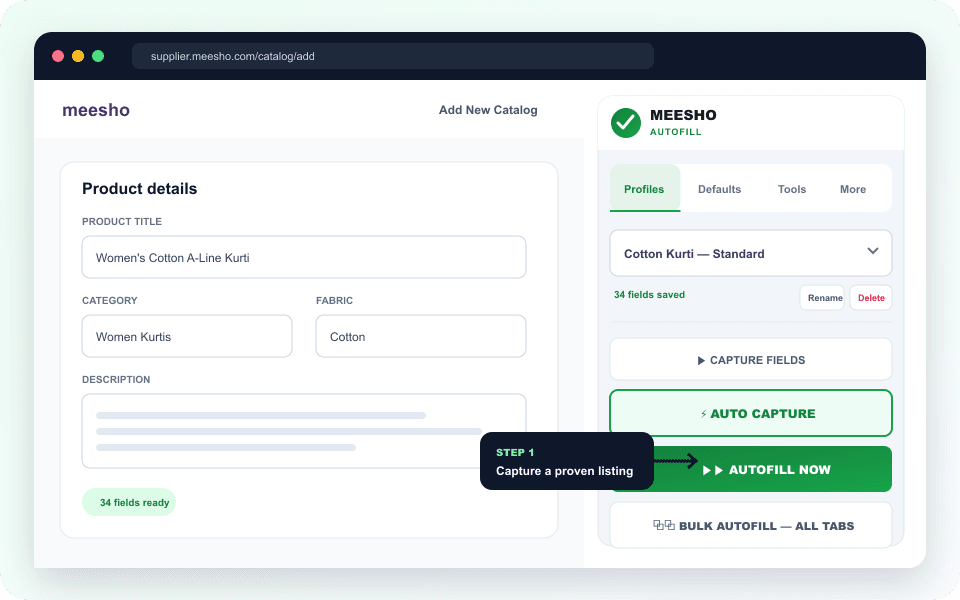
STEP 1
Capture a proven catalog
Open a completed catalog, create a profile, and capture the supported fields you want to reuse.
It is a Chrome extension for sellers who repeatedly enter similar product information in the Meesho Supplier Panel. You complete a suitable catalog once, capture supported fields into a profile, and reuse that profile on future add or edit pages.
EcomFriendly also keeps recurring defaults separate from product-specific fields and can start the same autofill run across several open catalog tabs. It speeds up preparation; it does not choose the correct category or publish a catalog without your review.
Open a completed catalog, create a profile, and capture the supported fields you want to reuse.
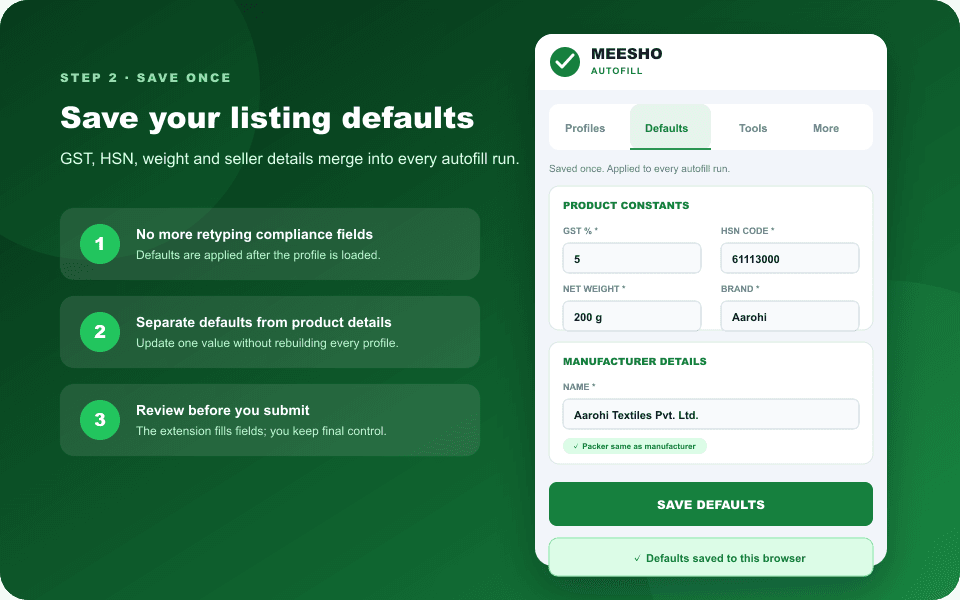
Store recurring seller and compliance details separately so they merge into each suitable autofill run.
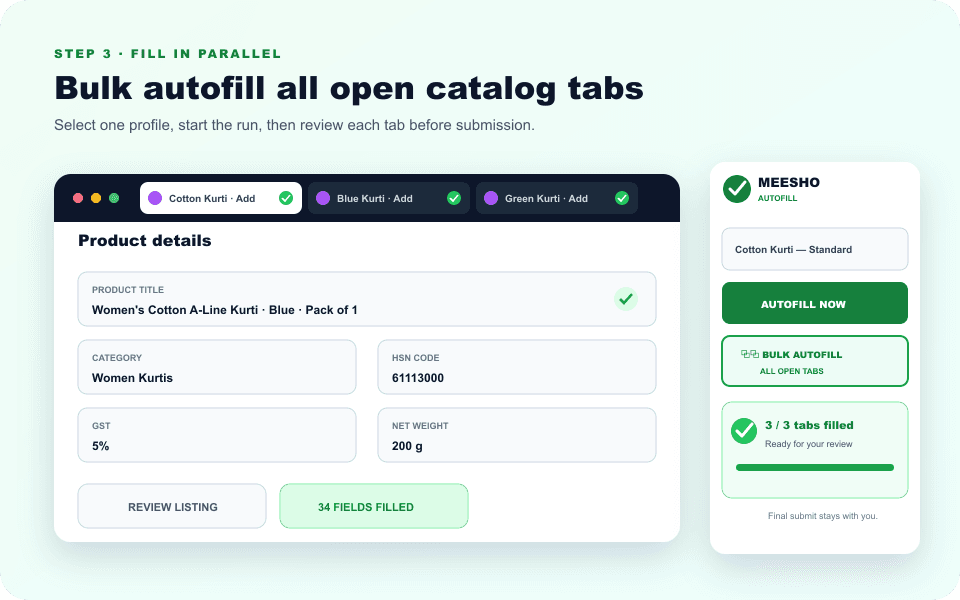
Choose the current page or bulk mode, check the completion status, and review each prepared listing.
Turn supported fields from a completed Meesho add or edit catalog form into a reusable named profile.
Keep GST, HSN, weight, brand, country of origin, manufacturer and packer details ready for future runs.
Apply a profile to the current listing or send the same autofill run to every reachable catalog tab you opened.
Create, rename, duplicate, import and export profiles for different categories, brands or product families.
Use run status to spot fields that still need attention when a category or the Meesho form is different.
The extension prepares supported fields while the seller keeps control of product checks and final submission.
Based on public product pages checked 2 August 2026. “Not stated” means the compared page does not describe that feature; it does not mean the feature is unavailable.
| FEATURE | ECOMFRIENDLY | ECOMDOST | CLEVO |
|---|---|---|---|
| Reusable product profiles | Included | Included | Included |
| One-click listing autofill | Included | Included | Included |
| Automatic capture of visible fields | Included | Included | Not stated |
| Bulk autofill across open catalog tabs | Included | Not stated | Not stated |
| Reusable GST, HSN, weight and seller defaults | Included | Not stated | Not stated |
| Shipping-fee image testing | Included in the same extension | Separate Shipping Fixer product | Not stated |
| Automatic pending-order acceptance | Included | Not stated | Not stated |
| Try before paying | 10 free demo tokens | Not stated | 24-hour free trial advertised |
| Published pricing | ₹199/month or ₹999/year | ₹1,499 lifetime | ₹1,499 lifetime |
| How it is installed | Chrome Web Store | Not stated | ZIP via Chrome Developer Mode |
| Final listing submission | Seller reviews and submits | Seller reviews and submits | Seller reviews and submits |
Competitor information checked on the EcomDost Meesho extension page and the Clevo product page. Product names belong to their respective owners, and pricing or features can change.
Open the verified EcomFriendly listing in the Chrome Web Store and choose Add to Chrome.
New EcomFriendly accounts receive 10 demo tokens. No card is required for the demo.
Go to a supported add or edit catalog page inside your existing supplier.meesho.com session.
Save a profile, run autofill on one or several tabs, then verify every value before submitting.
A Meesho automation extension is a browser tool that reduces repetitive catalog work inside the Meesho Supplier Panel. EcomFriendly captures supported fields as reusable profiles, combines them with saved defaults, and autofills one listing or multiple open catalog tabs.
Yes. Open the supported Meesho add or edit catalog pages you want to prepare, select a saved profile, and use Bulk Autofill for all open tabs. Review each tab after the run because categories and required fields can differ.
You can capture supported visible catalog fields and save recurring defaults including GST percentage, HSN code, net weight, country of origin, brand, net quantity, manufacturer, packer and optional importer information.
No. The extension fills supported fields but leaves final review and submission with the seller. Check images, prices, sizes, variations, category attributes and compliance information before publishing.
No. It works inside the Meesho Supplier Panel session already open in Chrome and does not ask you to share your Meesho password with EcomFriendly.
New EcomFriendly accounts receive 10 demo tokens without a card. One successful image-generation or listing-automation action uses one token, and failed actions are automatically refunded.
All three publicly advertise reusable profiles, one-click autofill and seller review before submission. EcomFriendly additionally publishes bulk autofill across open tabs, reusable global defaults, shipping-fee image testing, order acceptance and direct Chrome Web Store installation. Their pricing and trial models differ, so compare the current public pages before choosing.
EcomFriendly is built for the desktop Meesho Supplier Panel in Google Chrome or a compatible Chromium browser. Use a desktop browser for the supported listing-automation workflow.