Meesho Image Generator — one photo in, 12 listing images out
Upload the product photo you already have. The free Meesho image generator removes the background, frames it at 1000×1000, adds a promo badge and your price text, and hands back up to 12 ready-to-list catalog images — each one showing the shipping rate Meesho quotes for it.
Free with an EcomFriendly account — create one in a minute.
The companion Chrome extension is rated 5.0/5 from 1 public Chrome Web Store rating (checked 3 August 2026). View the store listing.
What is the Meesho image generator?
The Meesho image generator is a free browser tool that turns one product photo into a set of finished catalog images. It removes a plain background, centres your product on a 1000×1000 square inside a coloured border, optionally adds a promo badge such as BEST SELLER or SALE and prints your offer text across the bottom — producing up to twelve variations from a single upload. Choose your Meesho sub-category and each image also comes back with the shipping rate Meesho quotes for it, so you can list the version that ships for less.
Is this an AI image generator for Meesho products?
It uses AI for the part that needs it — detecting your product and cutting it cleanly from its background — and deterministic rules for everything else, because borders, badge placement, caption bands and the 1000×1000 canvas should come out identical every time rather than being reimagined per upload. It does not invent a product that was never photographed: your item stays exactly as you shot it, which is what keeps the listing image honest and the returns attributable to the product rather than to the picture.
Real generated images
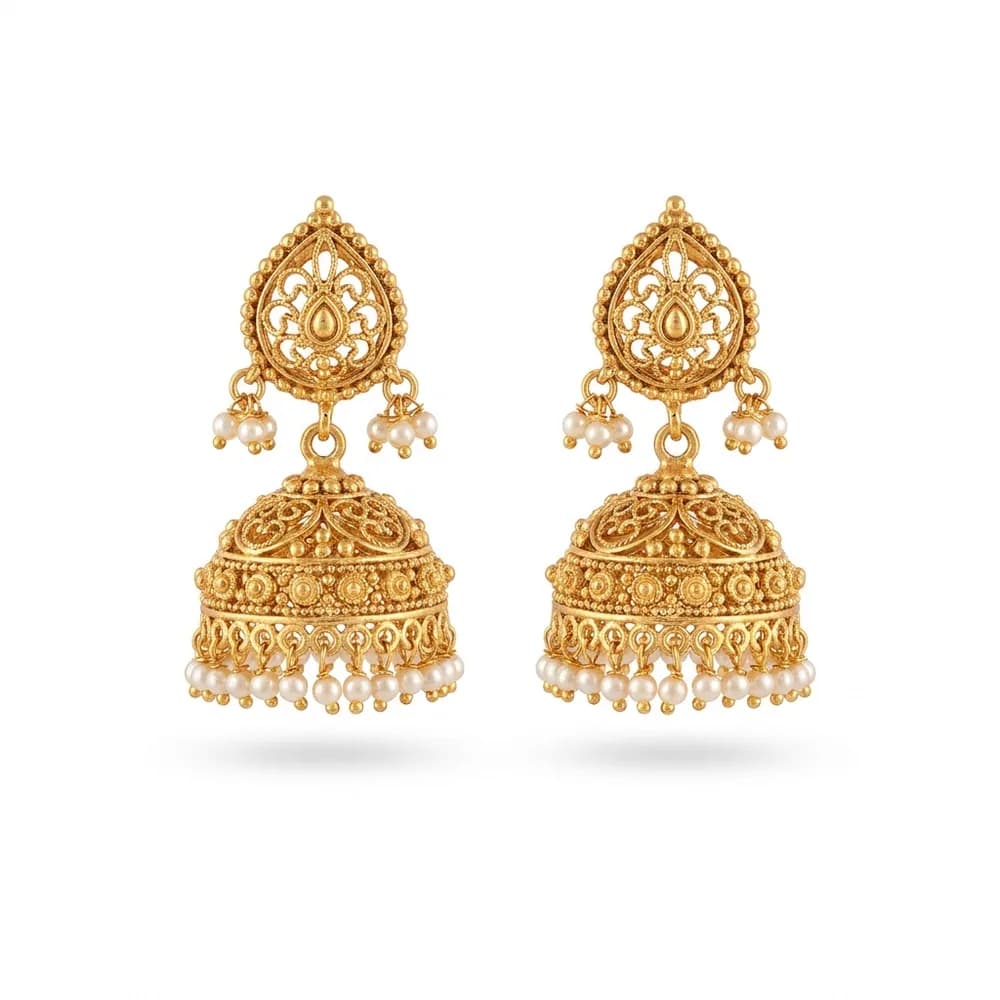
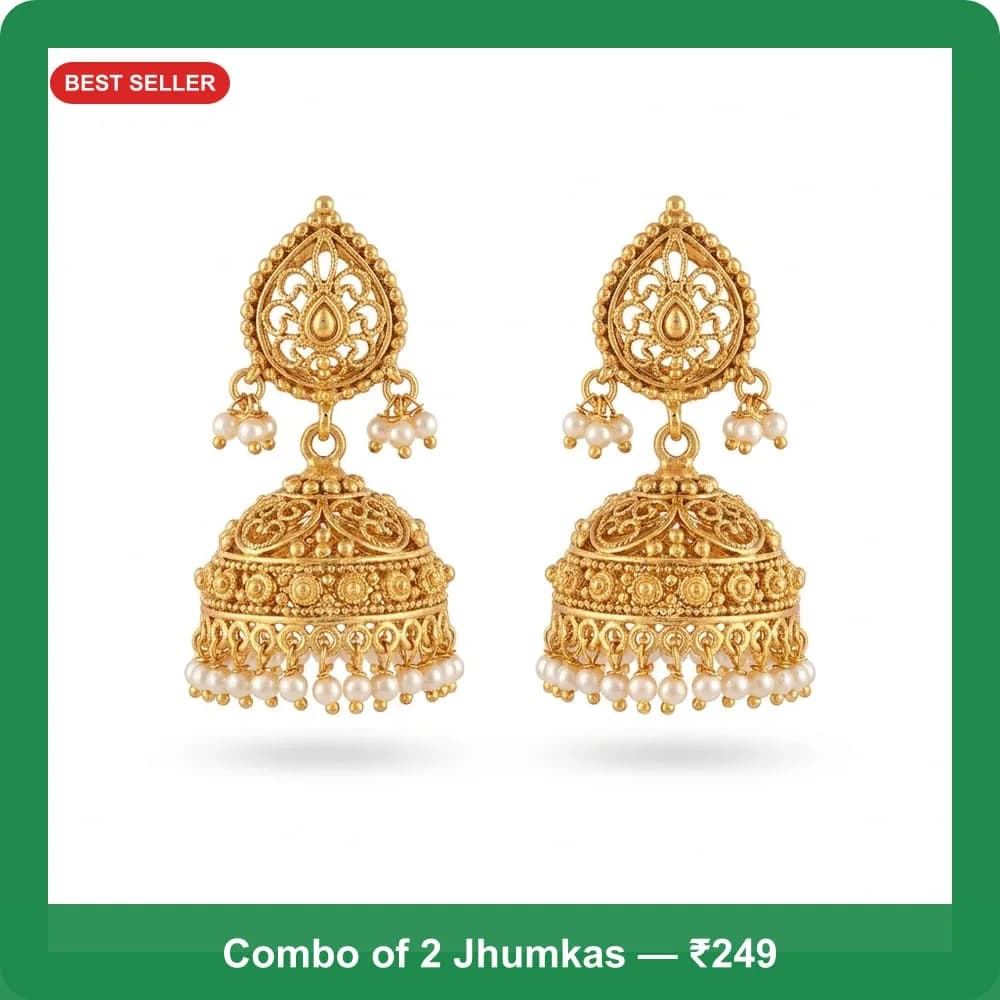
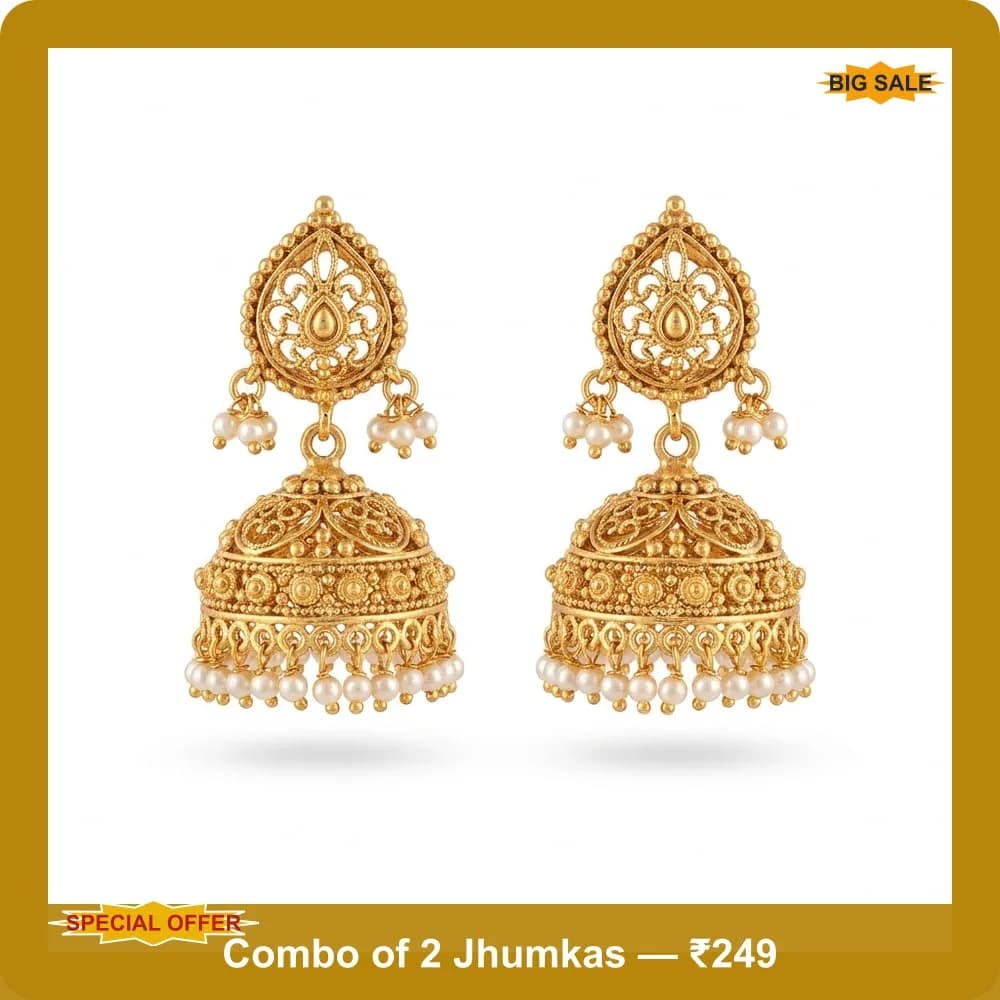
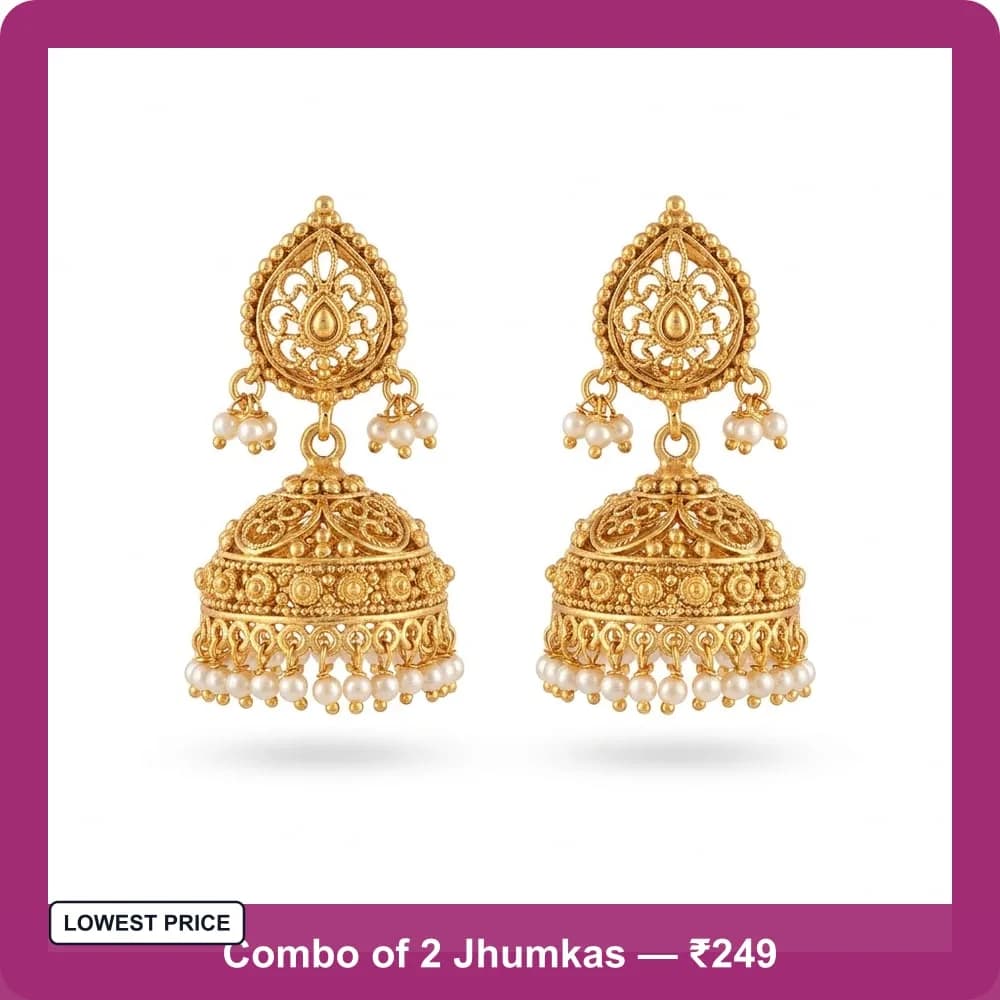
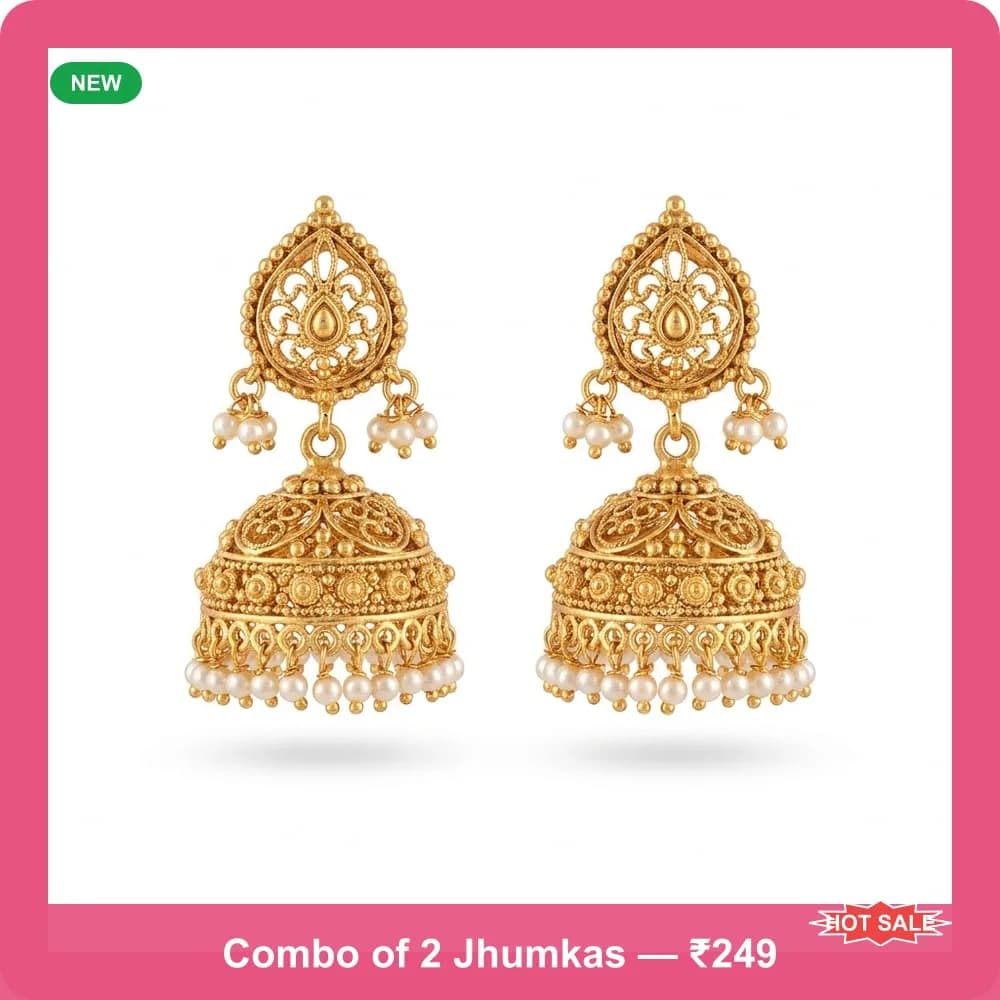
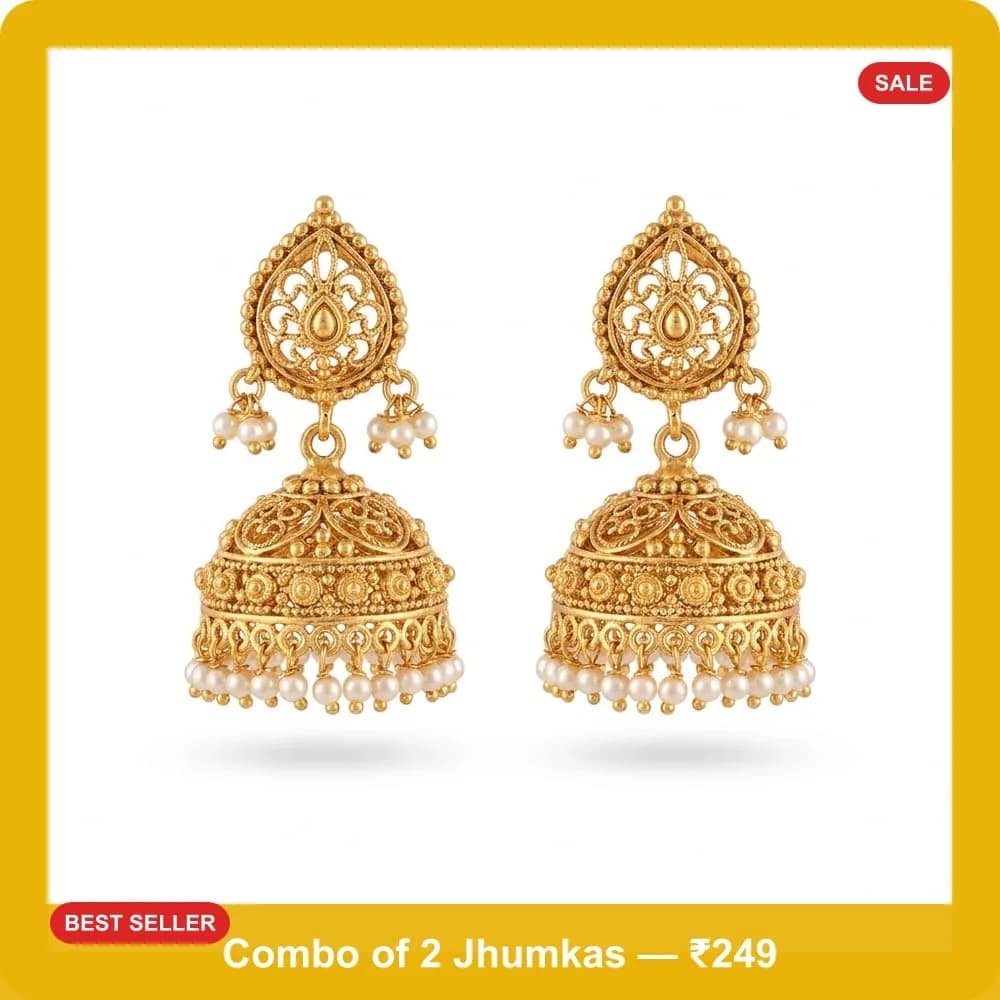
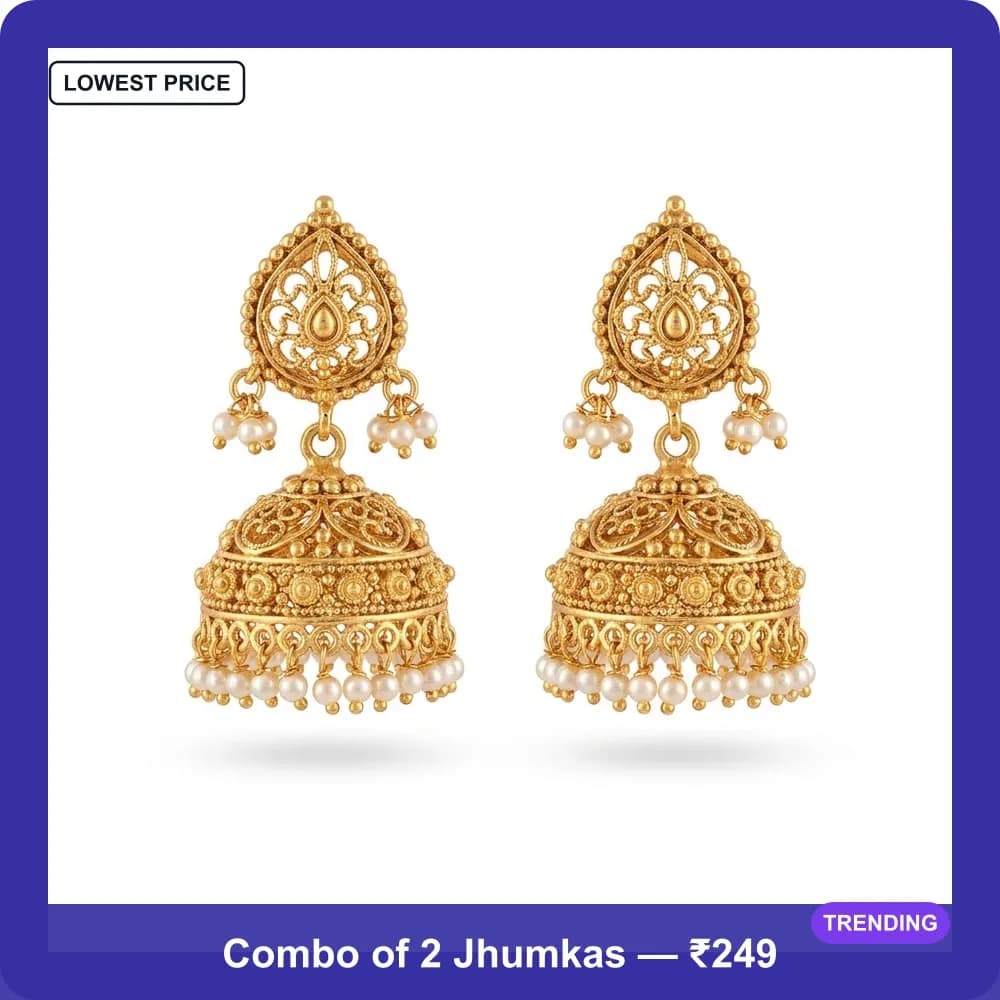
Every image below came out of the tool from the single earring photo above — same product, one upload, no editing in between. Your own photo is framed the same way.
What the generator does
Four of these are new — the generator now runs entirely in your browser, with background removal, promo badges and caption text built in.
Runs in your browser
NEWNo Chrome extension and no install. Sign in on any desktop browser, upload a photo and generate — the whole thing happens on ecomfriendly.com.
One-click background removal
NEWStrips a plain or white backdrop off your product before framing it, so the result looks like a studio shot rather than a phone photo. Best-effort — it is tuned for plain backgrounds.
Promo badges built in
NEWDrops a BEST SELLER, BIG SALE, LOWEST PRICE, HOT SALE, SPECIAL OFFER, SALE, NEW or TRENDING badge onto the product, in a different corner and shape each time.
Your price in the frame
NEWAdd up to 60 characters of caption text — the combo, the offer, the price — rendered into a clean band across the bottom of every image.
Live Meesho shipping on each image
Pick your category and every generated image comes back with the shipping rate Meesho actually quotes for it — so you can pick the one that ships cheapest before you list.
1000×1000, catalog-ready
Every image is produced at Meesho’s square listing size with the product centred and padded, so nothing gets cropped awkwardly in the catalog grid.
12 colourways per photo
One upload yields up to 12 finished variations — emerald, gold, orchid, rose, black, yellow, lime, royal blue, crimson, teal, purple and hot pink borders.
Your photo, unaltered
The generator composes on top of a copy. Your original file is never overwritten, and nothing is published to your Meesho catalog — you download and upload yourself.
How to generate your Meesho images
Start to finish in about three minutes, using the photo already on your phone.
Upload your product photo
Open Image Maker and drop in the photo you already have — the one from your phone is fine. JPG or PNG up to 10MB. No re-shoot, no Photoshop, no design skills.
Pick your Meesho category
Search your sub-category (type “Earrings”, “Kurti”, “Slippers”). This is what lets the tool quote a real Meesho shipping rate for each image it makes. Skip it and you still get every image — just without the shipping figures.
Add frame text and choose a border
Type an optional caption for the bottom band — sellers use the offer, e.g. “Combo of 2 Jhumkas — ₹249” (up to 60 characters). Then pick a border width: Narrow, Medium or Broad.
Turn on background removal and badges
Under Processing Options, switch on Remove Background (best-effort on plain or white backdrops), Add Stickers for a promo badge like BEST SELLER or SALE, and Multiple Variations — then drag the count slider up to 12.
Generate and download
Hit Generate. In a few seconds you get a grid of finished 1000×1000 images, each showing the shipping rate Meesho quotes for it. Download the ones you want and upload them to your catalog.
Why each image shows a shipping rate
Meesho’s shipping fee depends on how a listing gets classified into a sub-category and size band — and the main image is part of that. Two presentations of the same physical product can land in different bands, so the version you pick can genuinely change what a buyer pays to receive it.
That is why the generator quotes each image rather than just making it look good. Choose your sub-category before you generate and the results grid shows Meesho’s live rate per image, so you can list the cheapest one. Skip the category and you still get every image — just without the figures. Want the same check run against a live draft inside the supplier panel? That is what the Meesho automation extension does.
Meesho image generator — FAQs
What is the Meesho image generator?
It is a free EcomFriendly tool that turns one product photo into up to 12 finished Meesho catalog images. It places your product on a clean 1000×1000 square inside a coloured border, can remove a plain background, add a promo badge such as BEST SELLER or SALE, and print your offer text across the bottom — then shows the shipping rate Meesho quotes for each image so you can list the cheapest one.
Is the Meesho image generator free?
Yes. Image Maker runs in your browser on ecomfriendly.com and is free with an EcomFriendly account — no Chrome extension needed. The wider Meesho automation suite (bulk autofill, saved catalog defaults, order tools) is ₹199/month or ₹999/year.
Do I need to install a Chrome extension?
Not for the image generator. Uploading a photo and generating catalog images happens entirely on the website. The Chrome extension is separate — it is what automates your listing forms and tests images against shipping prices inside the Meesho supplier panel itself.
What image size does it produce for Meesho?
Every image comes out at 1000×1000 pixels — square, which is what Meesho catalog listings use. Your product is centred with padding around it so it is not cropped in the catalog grid, and the file is exported as a compressed JPEG ready to upload.
How many images can I generate from one photo?
Up to 12 per upload. Turn on Multiple Variations and drag the count slider between 2 and 12 — each one uses a different border colour, and if badges are on, a different promo sticker in a different corner.
Does the background remover work on any photo?
It is best-effort and tuned for plain or white backgrounds — the kind most sellers shoot against a wall or a sheet. A busy or cluttered background may not key out cleanly. If the result is not right, generate again with the option switched off; the framing, badges and caption all still work.
How does a product image change the Meesho shipping cost?
Meesho’s shipping fee is influenced by how a listing — including its main image — is classified into a sub-category and size band. Different presentations of the same photo can land in different bands, so checking several before you publish can surface a materially cheaper shipping rate for the exact same physical product. Pick your category in Image Maker and each generated image is quoted for you.
Will it change or publish anything in my Meesho catalog?
No. Image Maker only gives you image files to download. Nothing is uploaded to Meesho, nothing is published, and no listing of yours is edited — you add the image you like to your catalog yourself.
Do I need design skills or Photoshop?
No. You supply the product photo you already have and the tool composes everything else — border, background, badge and caption — automatically. There is no manual editing step and no design software involved.